Main features

Job Management

Everything you need to track, manage, and complete repair jobs fast and efficiently.

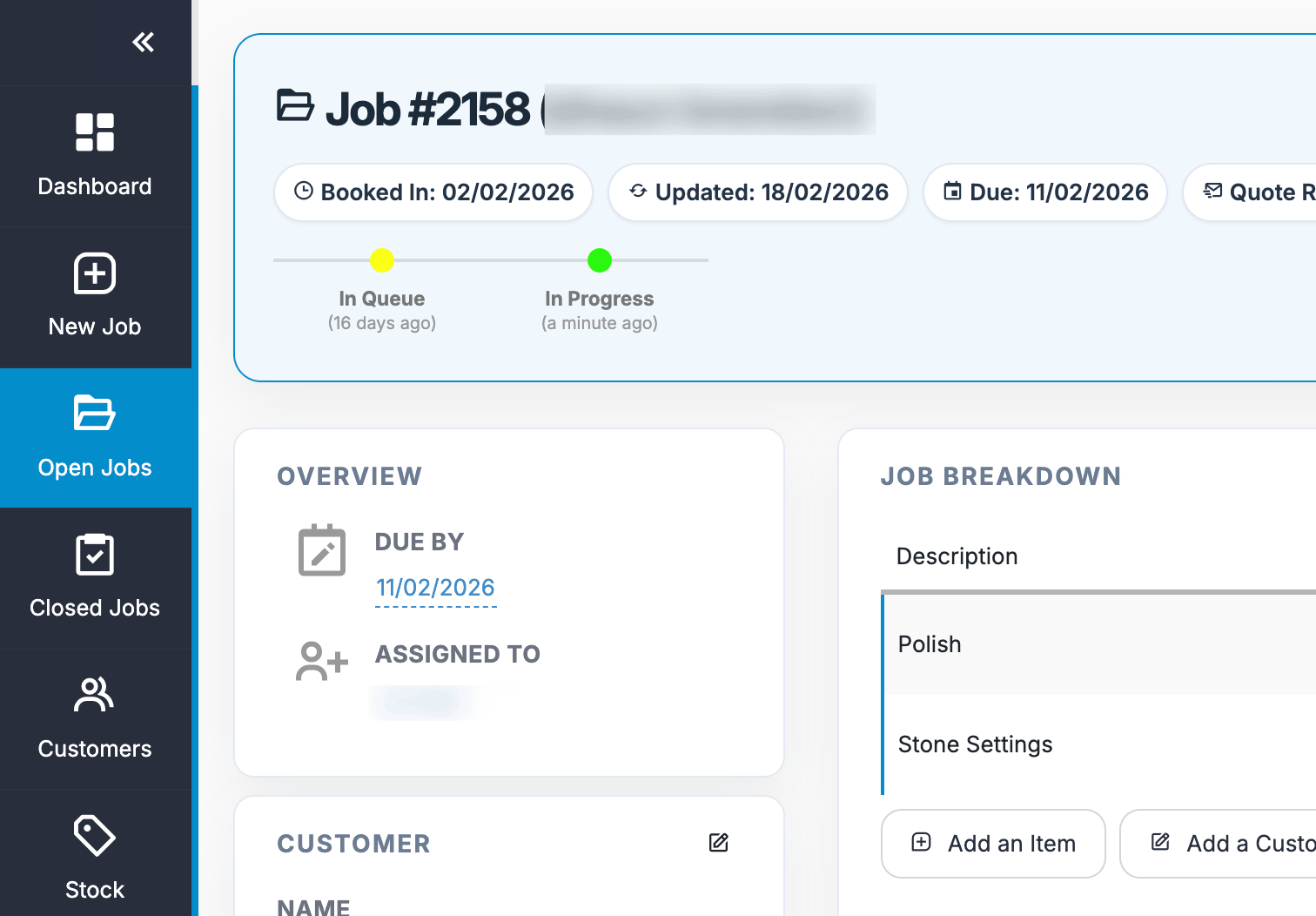
Job management is at the core of Repair Pilot. Whether you’re a one-person workshop or a multi-location operation, our powerful but simple interface lets you manage jobs from start to finish. Quotes, notes, assignments, and customer updates just a click away.

Built for Real Repair Workflows

Repair Pilot’s Job Management isn’t generic, it is purpose-built for businesses like yours.

  • Support for walk-ins, pre-booked jobs, or leads from your website that are easily converted to jobs

  • Device/item tracking including serial numbers

  • Technician comments, status flows, note tagging and more

  • Works seamlessly with stock, customer CRM, invoicing, and automation

Fast, Simple Interface

Built for speed and clarity, so you and your team can spend less time on admin, and more time repairing.

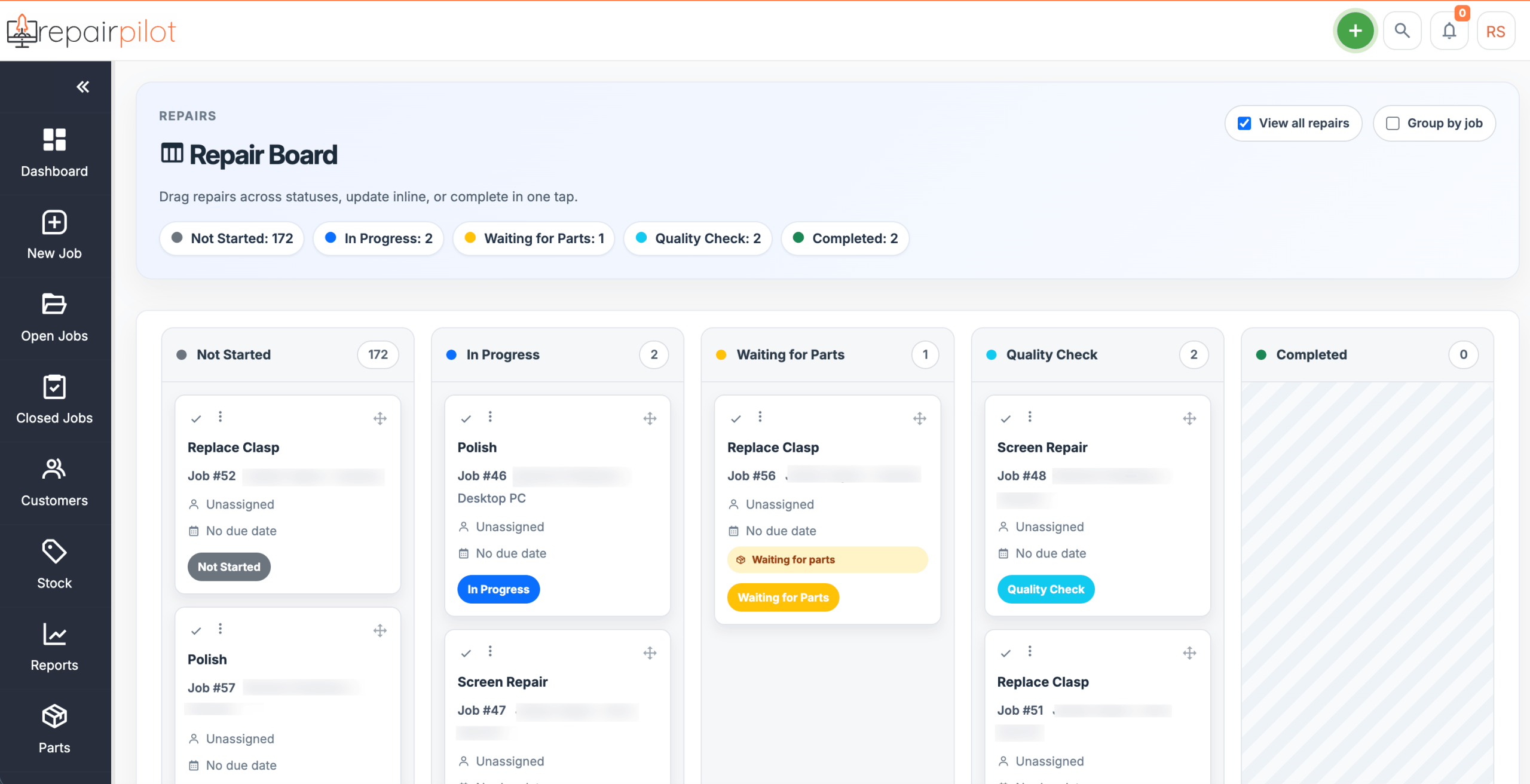
  • Dashboard overview of all jobs by status

  • Quick filters by date, location, staff, or job type

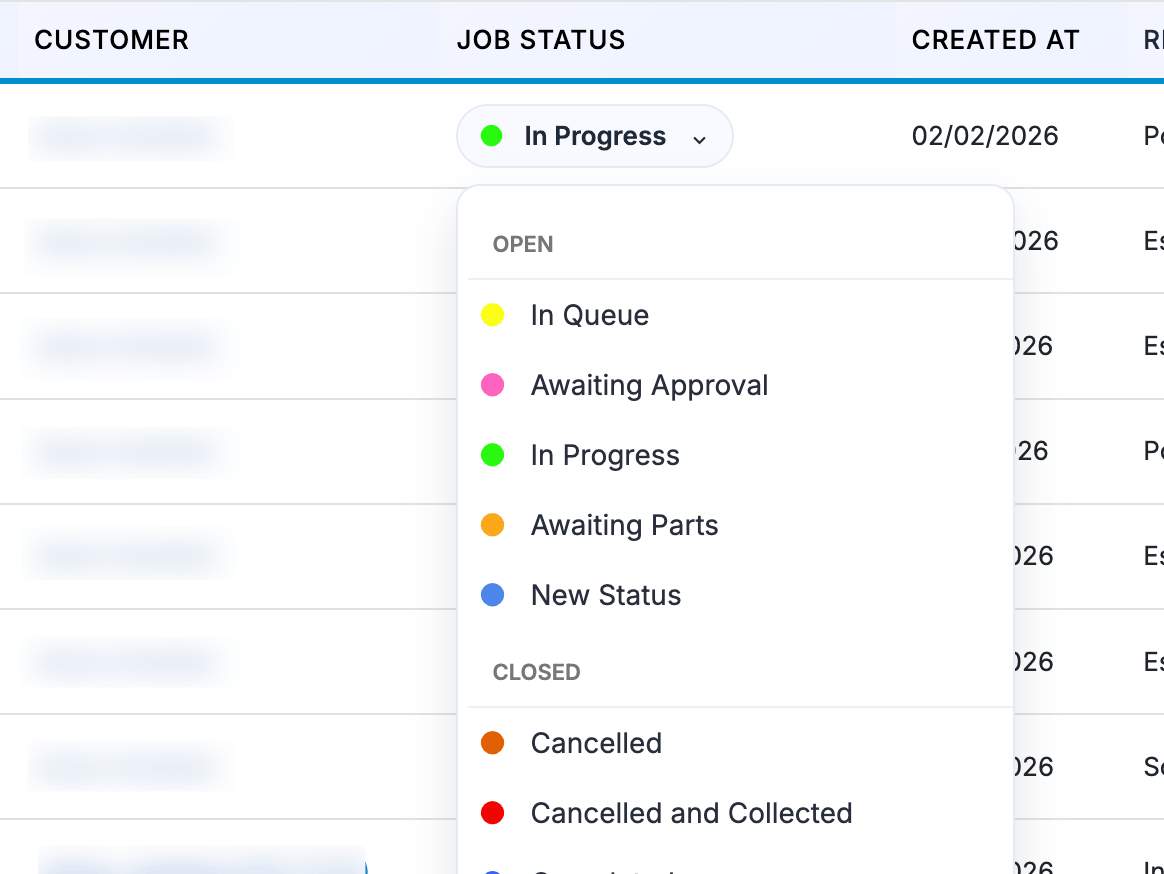
  • Colour-coded statuses to spot what needs attention

  • Bulk and in-line updating of jobs saves a huge amount of time

Assign Jobs to Staff

Stay on top of who’s doing what, and avoid confusion with flexible job assignment tools. You can assign a full job to someone as well as assigning the individual services on a job.

  • Assign the entire job to a single technician

  • Or assign the job's individual repair services to staff members

  • Track job progress at each stage

  • Great for more complex repairs or collaborative teams

Communicate in One Click

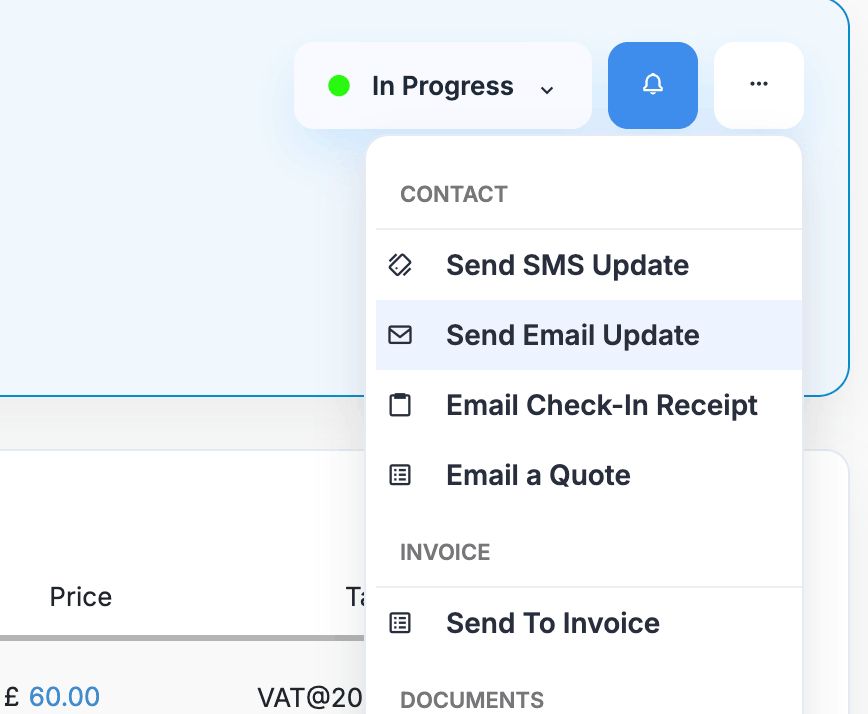
Send updates, get approvals, and follow up — directly from the job screen.

  • Email or SMS customers instantly (WhatsApp Coming Soon)

  • Attach quotes, invoices or job attachments (images etc.)

  • Use canned replies for faster messaging. These can be automated based on the job status.

  • See full communication history in one place

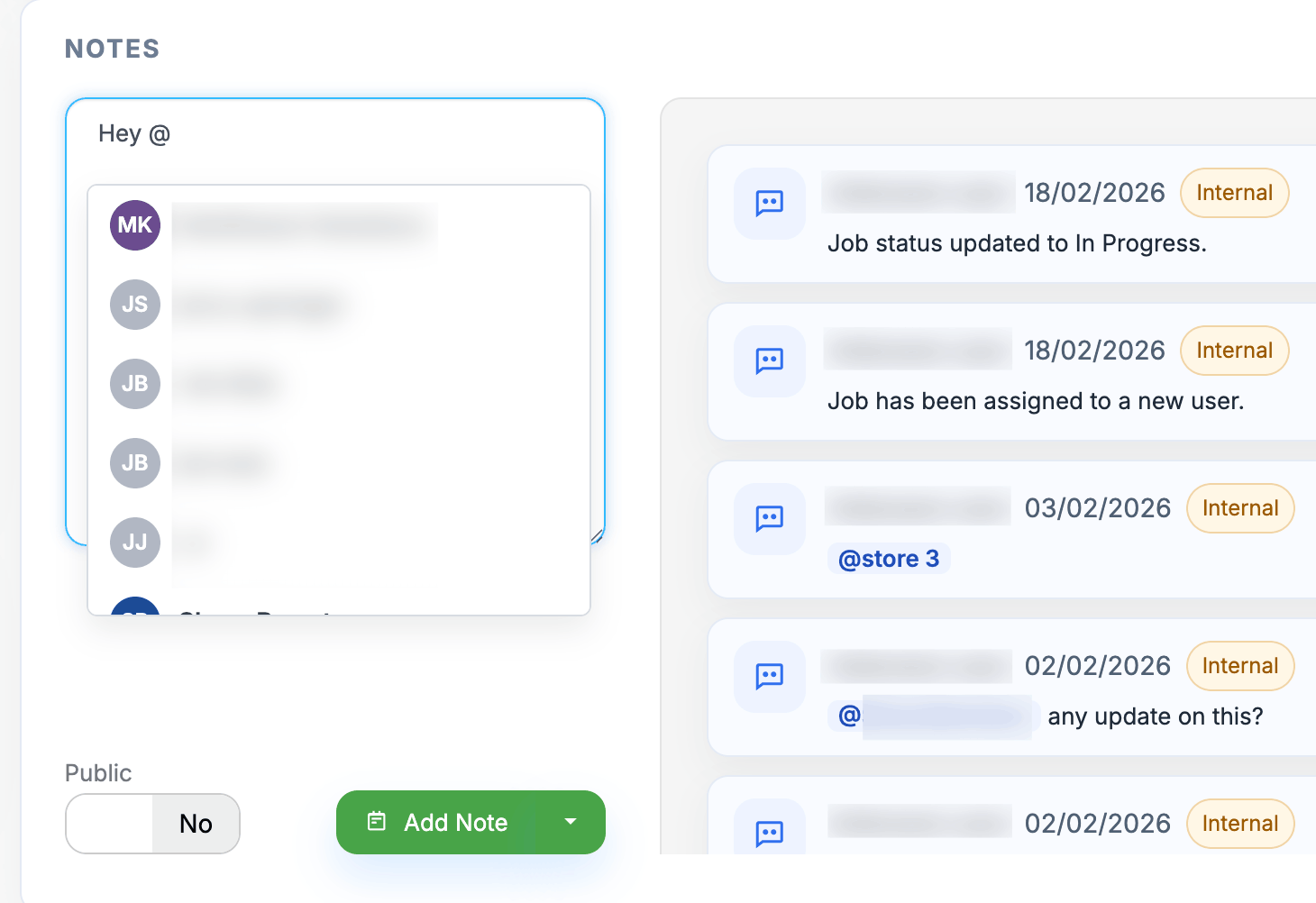
Notes - Internal & External

Keep your team informed and your customers in the loop, without mixing the two up.

  • Add internal notes for your staff (only visible to your team)

  • Use external notes to share updates with the customer

  • Notes are timestamped and user-tagged for accountability

  • Tag staff members and other stores (if you use multi-store options) to raise questions or reminders

Instant Quotes & Invoices

Generate professional paperwork right from the job screen, no extra steps.

  • Create and send quotes, invoices, and check-in receipts with one click

  • Use predefined repair services, parts, inventory or add custom line items to build your job

  • Send documents via email or SMS (WhatsApp coming soon|)

  • Customer can view (and soon pay) online through the Customer Portal

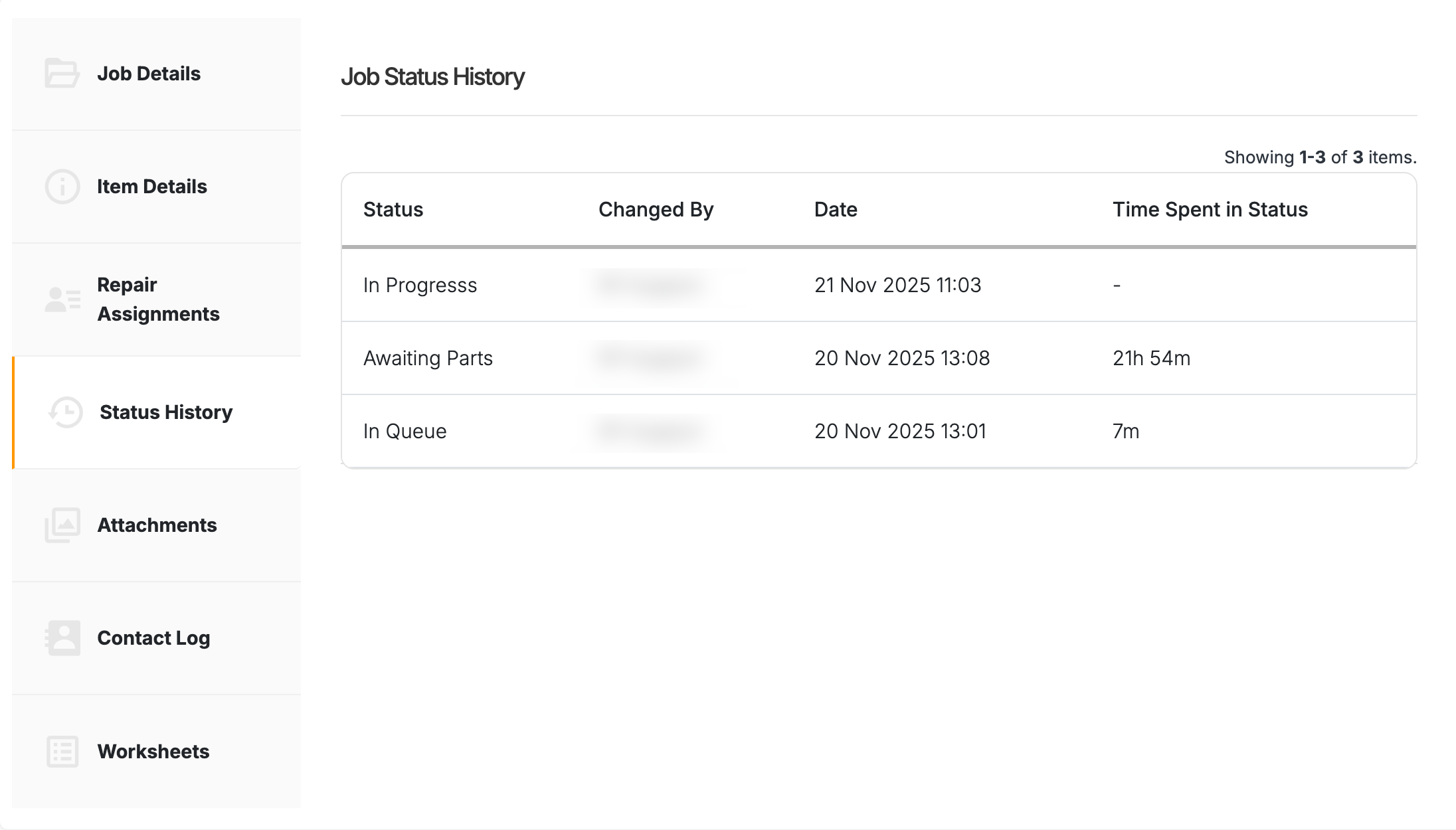
Full Job History

Track everything from the moment a job is created.

  • Job creation time, user, and source

  • Every status change, update, and communication

  • Linked to the customer, item, payments, parts used, and notes

  • Easy to reference for warranty issues or return visits

Ready to streamline your job management?

Start your 14-day free trial and experience the speed, clarity, and control of Repair Pilot’s job management system.